As decision-makers responsible for your business’s photography, marketing, and video production services, you understand that high-quality visual assets are not merely expenses—they are critical investments in your brand’s equity and marketing performance. In today’s competitive landscape, video and photography quality directly correlate with perceived professionalism and trustworthiness.
It can be tempting to prioritize the lowest bid when sourcing video production. The search for an “affordable video team” is understandable, but it often masks a critical trap. As an experienced videographer, photographer, and producer, I’ve seen countless organizations fall into the classic pitfalls of prioritizing rock-bottom pricing over proven expertise. This strategy rarely results in true savings.
Here is an expert breakdown of the key risks and costly mistakes associated with picking video teams based primarily on low cost, and what you should look for instead.
The Pitfalls of Picking Affordable Video Teams
1. Compromised Production Quality and Equipment
The most immediate casualty of a low budget is production value. Cutting costs almost always means cutting corners on one of two things: equipment or crew experience.
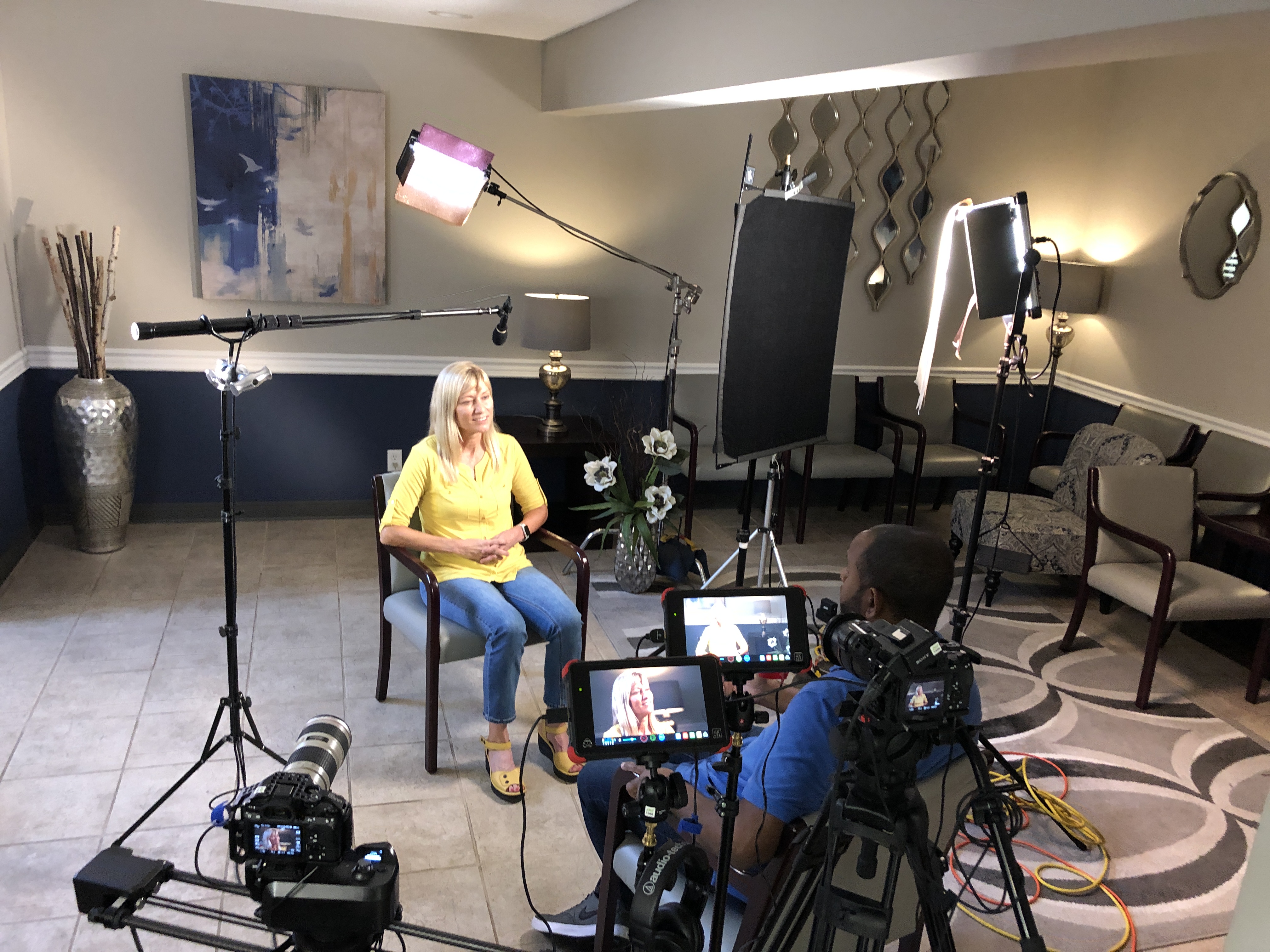
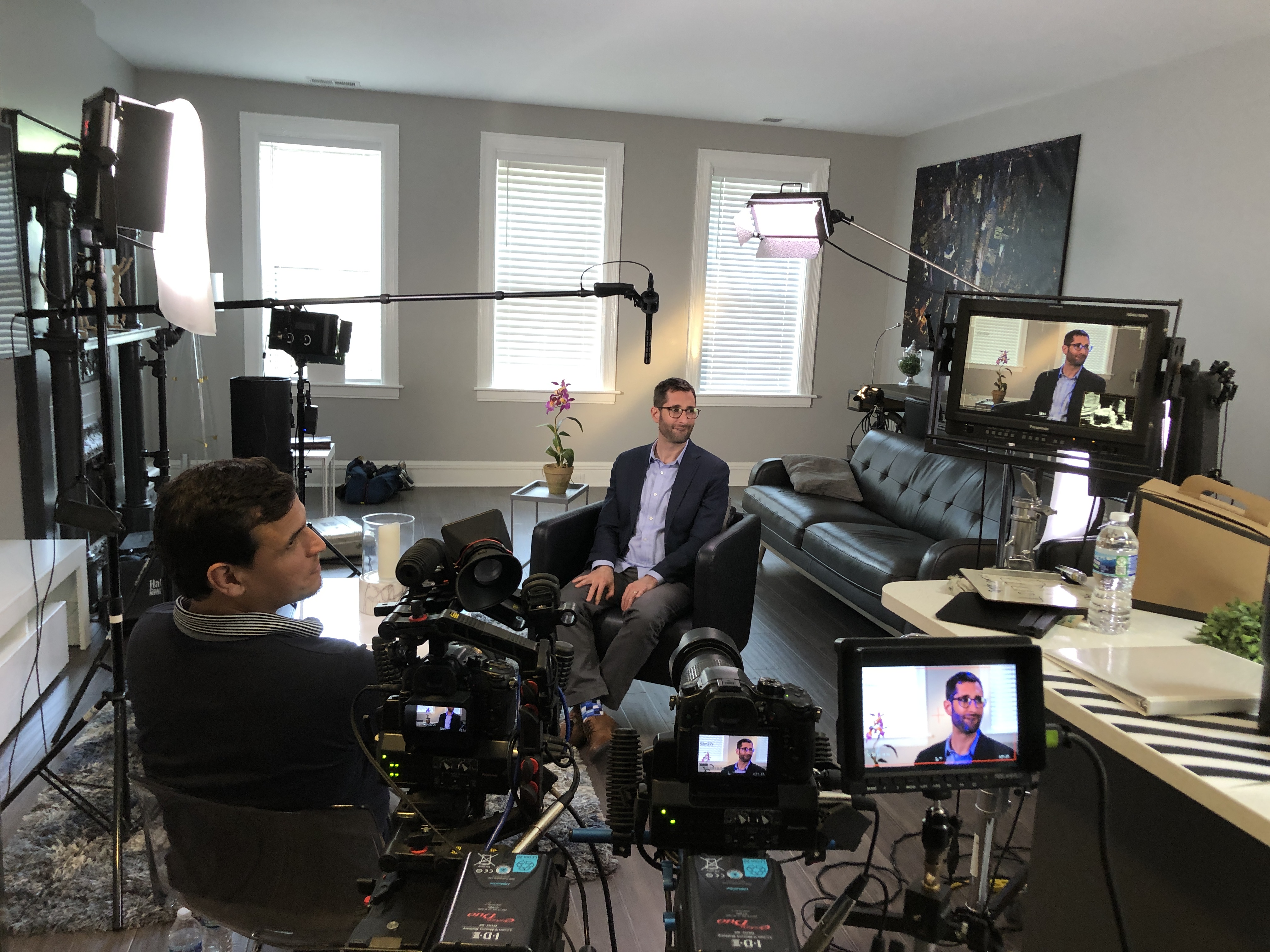
Subpar Equipment: Professional commercial production requires high-end, specialized gear—cinema-grade cameras, professional lighting setups, broadcast-quality audio equipment, and licensed software. Budget teams often use prosumer gear that cannot deliver the crisp visuals, rich color depth, and flawless sound your corporate brand demands. A video that looks or sounds “cheap” instantly reflects poorly on your company.
Inexperienced Crew: A low rate typically translates to an inexperienced or undersized crew. A professional set requires specialized roles—Director of Photography, Gaffer (lighting), Sound Mixer, etc. When one person attempts to juggle too many roles, the quality suffers across the board, leading to poorly lit interviews, muffled audio, or amateur-looking camera work.
Expert Insight:Your video quality is a direct proxy for your brand quality. Invest in the technical excellence that projects professionalism and authority.
2. The Hidden Costs of Inexperience
While the initial invoice may be low, an inexperienced team often introduces significant hidden costs and delays to your project.
Inefficient Production: Lack of professional experience leads to poor planning, shooting mistakes, and disorganized sets. This results in longer shoot days, unexpected overtime, and missed logistical details—all of which increase your final bill or, worse, compromise the final product.
Post-Production Headaches: An inexperienced editor may deliver a final cut that misses the mark, requiring multiple, frustrating rounds of revisions or, worst case, a complete reshoot by a different company. This not only burns your budget but also delays your marketing initiatives.
Lack of Marketing Acumen: A cheap crew may be capable of shooting a video, but a true professional production company understands the strategy behind it. They should be asking: What is the CTA? Who is the target audience? Where will this be distributed? An affordable team without marketing insight produces a pretty video that doesn’t perform.
3. Limited Flexibility and Scalability
Commercial video needs can be dynamic, requiring everything from a simple studio interview to a complex multi-location shoot with aerial coverage.
Inability to Adapt: Teams focused purely on low costs often lack the diverse equipment or network of specialized crew members (like licensed drone pilots or specialized lighting technicians) to handle project complexities or last-minute changes. They are fixed in their capabilities, not flexible to your evolving requirements.
Media and Format Incompatibility: A cheap team may deliver a single, low-resolution file, unable to provide the various cuts, aspect ratios, and file types necessary for today’s diverse media platforms (website, social media, trade shows, etc.). Repurposing your content—a crucial part of maximizing ROI—becomes nearly impossible.
The Professional Partnership: Investing in Successful Image Acquisition
Choosing a professional, full-service partner is not a cost—it’s a calculated investment that mitigates risk and maximizes your return. When evaluating partners, you are looking for a track record of reliability, technical mastery, and creative alignment.
St Louis Video Production Crews is that full-service professional commercial photography and video production company. Since 1982, we have worked with countless businesses, marketing firms, and creative agencies in the St. Louis area, building a reputation for successful image acquisition.
Why Partner with St Louis Video Production Crews?
Full-Service & Expertise: We offer full-service studio and location video and photography, as well as comprehensive editing, post-production, and licensed drone pilots. Our decades of experience ensure your project is executed seamlessly from concept to delivery.
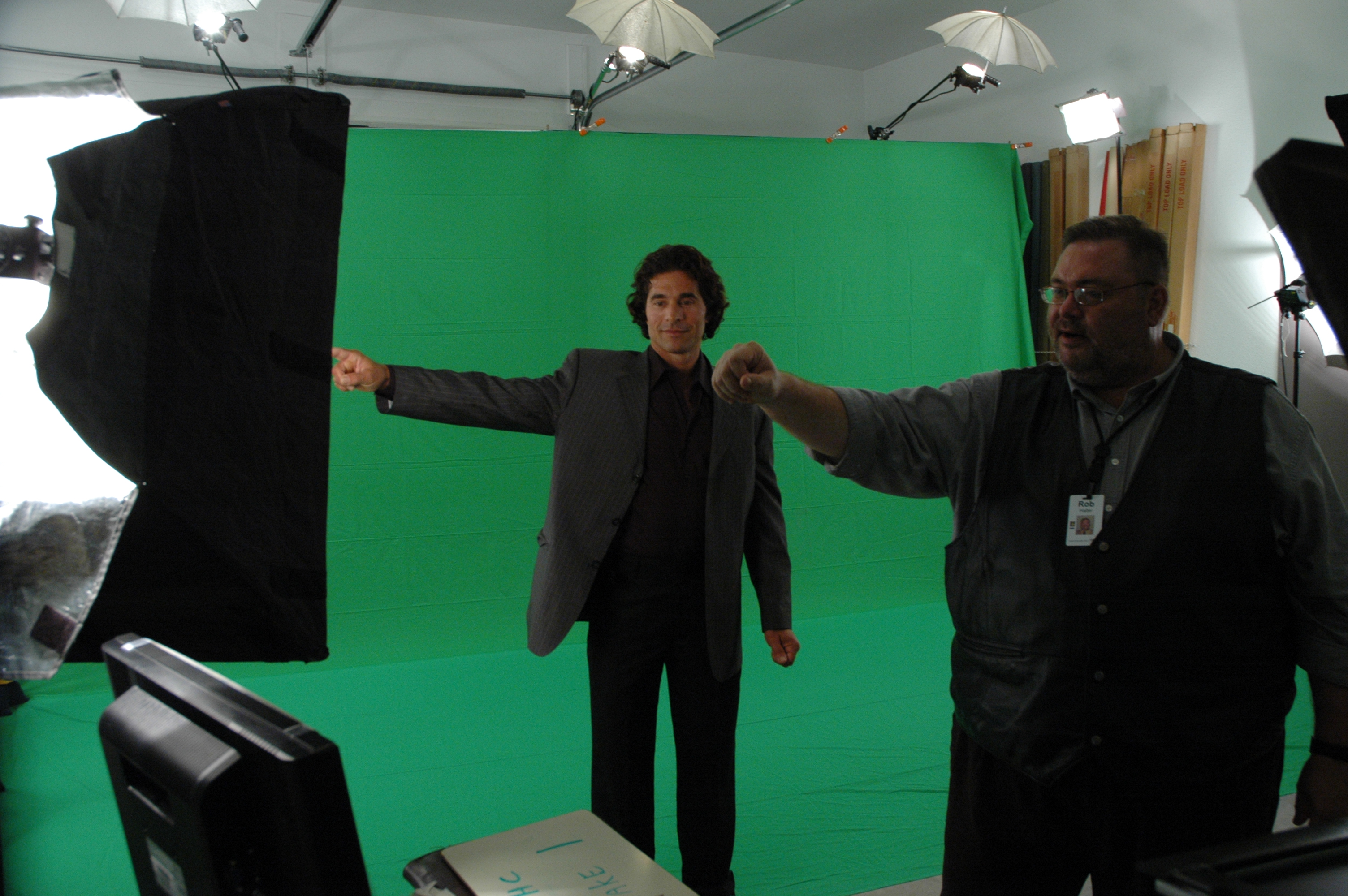
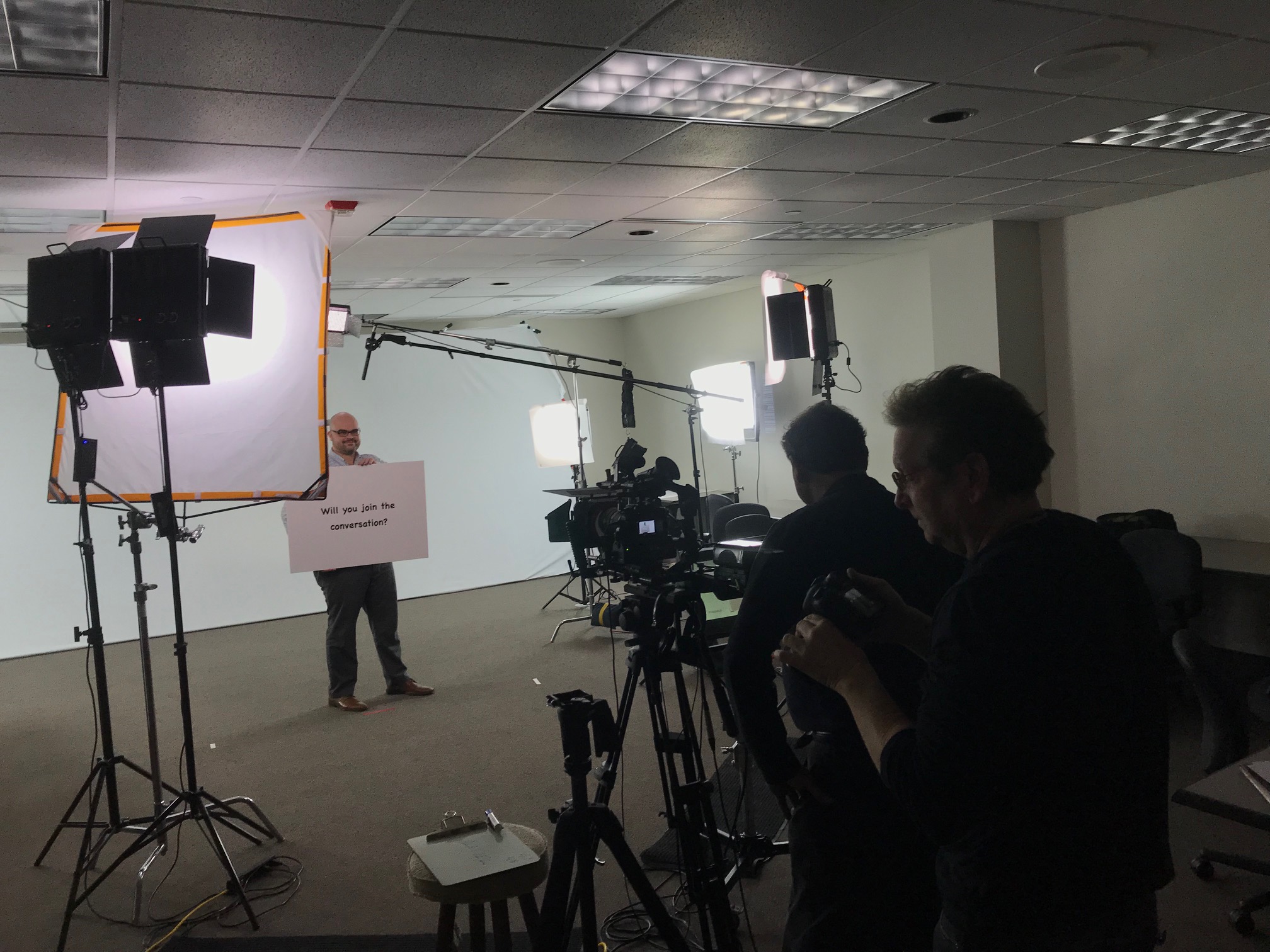
The Right Equipment & Crew: We have the right equipment and a creative crew service with the experience to deliver broadcast-quality results. Our private studio lighting and visual setup is perfect for small productions and interview scenes. Our studio is large enough to incorporate props to round out your set. We can even fly our specialized drones indoors for unique interior perspectives.
Strategic Repurposing & Technology: We specialize in repurposing your photography and video branding to gain more traction for diverse types of media requirements. We are well-versed in all file types and styles of media and accompanying software. Critically, we use the latest in Artificial Intelligence for all our media services, enhancing efficiency and post-production quality.
Seamless Production Support: We support every aspect of your production—from setting up a private, custom interview studio to supplying professional sound and camera operators, as well as providing the right equipment—ensuring your next video production is seamless and successful.
Don’t let the illusion of a low price compromise your brand’s visual identity and marketing success. Invest wisely with a proven partner.
Would you like to schedule a consultation to discuss how our full-service capabilities can customize your next photography or video production?
As decision-makers responsible for your brand’s image, you understand the power of video. Whether it’s a CEO message, an employee training module, or a high-impact marketing piece, the person on screen must appear confident, knowledgeable, and, most importantly, authentic.
Yet, time and again, we witness a common hurdle: the fear of direct eye contact with the camera lens. This isn’t stage fright; it’s a specific anxiety related to performance, memory, and the unnatural feeling of speaking to an unblinking, inanimate object that represents thousands of future viewers. The result? Stilted delivery, awkward pauses, darting eyes, or the perpetual temptation to look down at notes—all of which erode trust and dilute your message.
Fortunately, there is a professional, time-tested solution that allows your on-screen talent—even those who have never been filmed before—to maintain perfect eye contact while delivering complex scripts flawlessly: The Teleprompter.
The Physics of Connection: How a Teleprompter Works
The term “teleprompter” might conjure images of news anchors, but its application in commercial and corporate video is a game-changer. It is not a crutch; it is an expert communication tool.
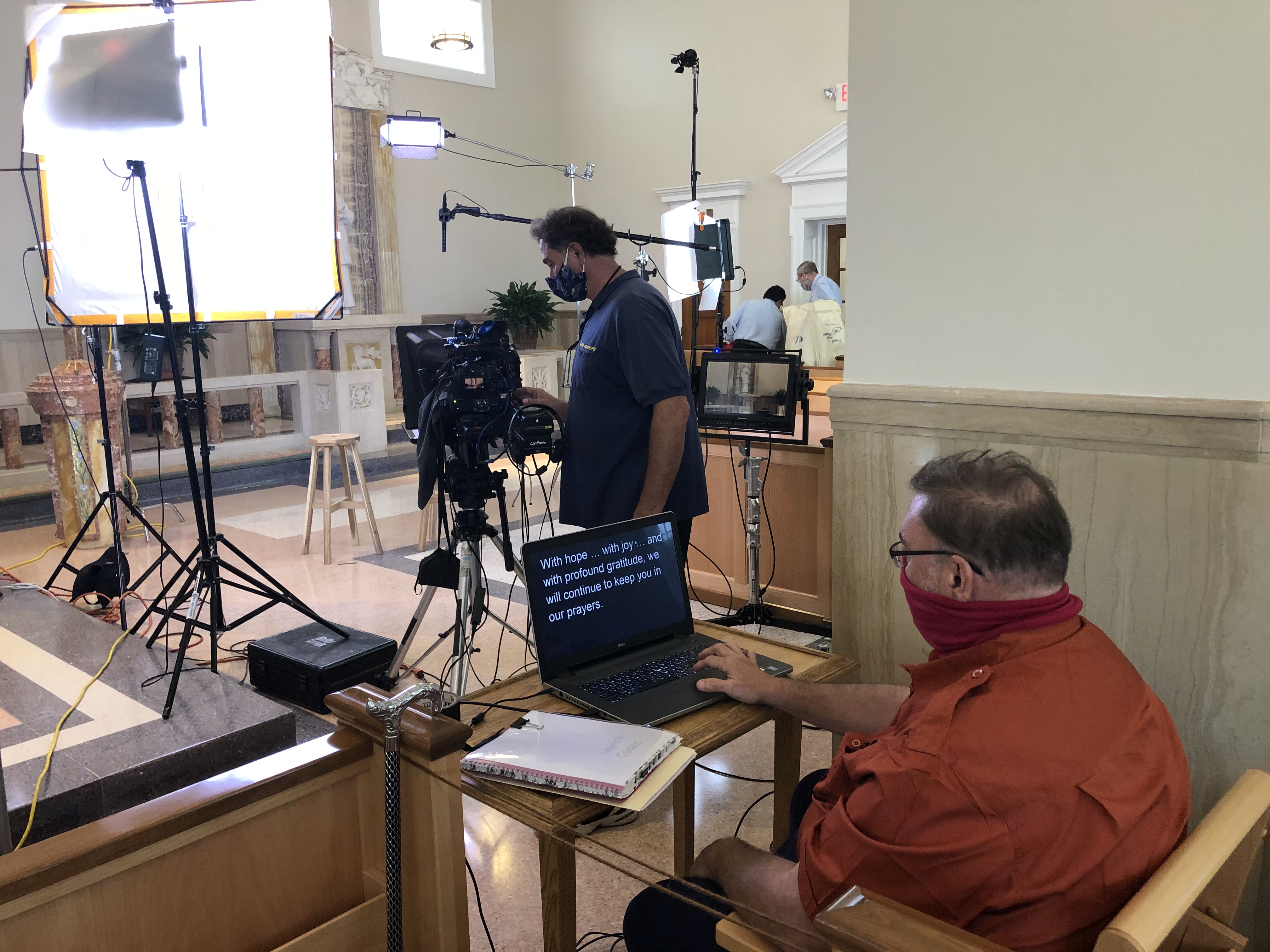
A teleprompter utilizes a two-way mirror, or beam splitter, placed directly in front of the camera lens.
The Camera’s View: The lens looks through the mirror and captures the talent.
The Talent’s View: A script, displayed on a monitor below the camera, is reflected up onto the mirror.
Crucially, because the mirror is angled, the viewer sees the reflection of the text, but the camera only sees the talent’s eyes. This simple, elegant setup allows the speaker to read a perfectly crafted script while appearing to be looking directly into the viewer’s eyes, forging a powerful, non-verbal connection that is essential for persuasive communication.
Beyond Memorization: The Teleprompter’s Strategic Advantages
For decision-makers, the teleprompter offers benefits that extend far beyond simply remembering lines:
Precision and Compliance: In industries like finance, healthcare, or legal, every word matters. A teleprompter ensures strict adherence to compliance mandates, approved terminology, and required disclosures. There are no ad-libs that could compromise your brand or require costly reshoots.
Time and Budget Efficiency: Rehearsing and memorizing takes time. Re-recording takes budget. A professional teleprompter operator can scroll the text at a variable, natural pace that matches the speaker, minimizing takes and getting the delivery right the first time. This significantly reduces on-set time and post-production headaches.
Confidence and Poise: For executives or spokespersons who are novices on camera, reading from a teleprompter relieves the anxiety of having to remember details. This mental relief translates into physical relaxation, allowing the speaker to focus on delivery—intonation, expression, and emotion—instead of recall. The result is a more natural, confident, and persuasive performance.
Consistency Across Media: If your brand requires multiple messages across various platforms, the teleprompter guarantees a unified, consistent voice and message every time, solidifying your brand narrative.
In the world of commercial video production, the teleprompter is not merely a piece of equipment; it is an invaluable part of the process, transforming hesitant speakers into authoritative brand representatives.
Partner with St Louis Video Production Crews: Your Full-Service Image Experts Since 1982
Mastering the technical and creative elements of professional image acquisition requires more than just high-end cameras—it demands deep experience, creative vision, and process-driven expertise.
St Louis Video Production Crews is a full-service professional commercial photography and video production company built upon decades of successful image acquisition. Since 1982, we have partnered with countless businesses, marketing firms, and creative agencies in the St. Louis area, helping them translate complex messages into compelling visual media.
We provide the right blend of creative crew service and professional equipment to ensure every production is a success:
Comprehensive On-Site and Studio Services: We offer full-service studio and location video and photography. Our private studio lighting and visual setup is perfect for small productions, custom interview scenes, and incorporates enough space for props to complete your set design.
End-to-End Production Support: We support every aspect of your project—from scripting and pre-production setup to supplying professional sound and camera operators. We can even set up a private, custom interview studio right at your location, ensuring your next video production is seamless and successful.
Cutting-Edge Technology: We are expert in all file types and styles of media and accompanying software. Our services are enhanced by the latest in Artificial Intelligence integration for editing, color grading, and asset management, ensuring both efficiency and superior quality.
Specialized and Licensed Services: We feature licensed drone pilots for high-impact aerial footage. Furthermore, we can deploy our specialized drones indoors—a unique capability for dynamic interior shots that many companies cannot offer.
Post-Production and Repurposing: Beyond the shoot, we excel in editing and post-production. A key specialty is repurposing your photography and video branding across diverse media requirements to gain maximum traction and value from your investment.
When your brand demands perfection in front of the lens, partner with the experienced team at St Louis Video Production Crews. We have the equipment, the experience, and the creative crew to customize and execute your productions, guaranteeing the confident, professional, and authentic communication your audience expects.
314-913-5626 Mike Haller, St Louis Video Crew Captain
In today’s digital landscape, video content has become a cornerstone of successful marketing strategies. As a member of the marketing team, understanding the intricacies of shooting day for business videos is crucial for ensuring the production process runs smoothly and the final product effectively communicates your message to your audience. In this comprehensive guide, we’ll delve into essential strategies to optimize shooting days for business videos, ensuring maximum efficiency and quality.
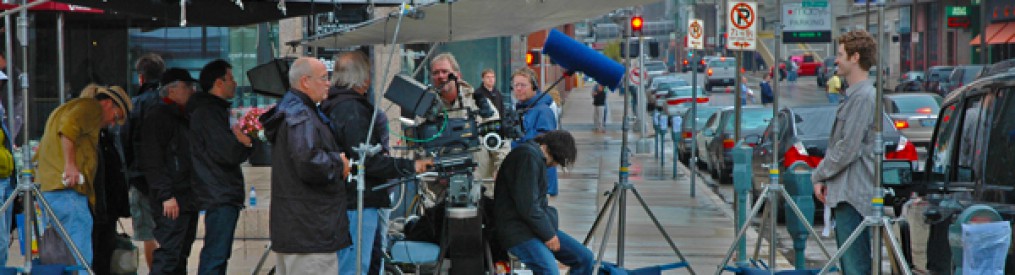
Stick to the shooting schedule to maximize efficiency and productivity.
Preparing for the Shoot
1. Storyboarding and Scripting
Before the shooting day, collaborate with the video production crew to develop a storyboard and script. This provides a clear roadmap for the shoot, ensuring key messages are conveyed effectively.
2. Location Scouting
Scout locations in advance to identify suitable settings for the shoot. Consider factors such as lighting, acoustics, and background aesthetics to create visually appealing and professional-looking videos.
3. Equipment Check
Ensure all necessary equipment, including cameras, microphones, and lighting gear, is in working order and fully charged. Test equipment prior to the shoot to avoid any technical issues on the day.
On Set
1. Effective Communication
Maintain open communication with the production crew and talent throughout the shoot. Clearly convey expectations and provide direction to ensure everyone is aligned and working towards the same goals.
2. Optimizing Lighting and Sound
Pay close attention to lighting and sound quality during filming. Proper lighting enhances visual appeal, while high-quality audio is essential for clear communication. Make adjustments as necessary to achieve optimal results.
3. Managing Time Wisely
Stick to the shooting schedule to maximize efficiency and productivity. Allocate sufficient time for each scene or segment, but be flexible enough to adapt to unforeseen circumstances or creative opportunities that may arise.
Post-Production
1. Reviewing Footage
Review footage carefully to identify the best takes and shots for editing. Consider factors such as performance quality, framing, and continuity to select the most compelling footage for the final cut.
2. Editing and Enhancements
Work closely with the editing team to refine the footage and add any necessary enhancements, such as graphics or special effects. Ensure the final product aligns with the brand’s aesthetic and messaging.
3. Feedback and Revisions
Solicit feedback from stakeholders and team members to fine-tune the video as needed. Address any concerns or suggestions promptly to ensure the final product meets expectations and objectives.
Conclusion
Effective collaboration between the marketing team and video production crew is essential for successful business video shoots. By following these strategies, you can optimize shooting days, resulting in high-quality videos that resonate with your target audience and achieve your marketing goals.
As a full-service video and photography production company, St Louis Video Production Crews has extensive experience collaborating with businesses, marketing firms, and agencies in the St. Louis area for their corporate photography and video needs. Our team is equipped with the right expertise and creative vision to ensure successful conference documentation and diverse media requirements. Contact us today to learn how we can elevate your brand through tailored video and photography solutions.
Author: Mike Haller, Experienced Photographer and Video Director at St Louis Video Production Crews
St Louis Video Production Crews is a full-service professional commercial photography and video production company with the right equipment and creative crew service experience for successful conference documentation. We offer full-service studio and location video and photography, as well as editing and post-production. St Louis Video Production Crews can customize your productions for diverse types of media requirements. Repurposing your photography and video branding to gain more traction is another specialty. We are well-versed in all file types and styles of media and accompanying software. As a full-service video and photography production company, St Louis Video Production Crews has worked with many businesses, marketing firms, and agencies in the St. Louis area for their corporate photography and video.
Before shooting your small business’ professional-quality video, plan it out! Define your objectives and goals. This will guide you in deciding what type of video to make, what content to include and what equipment you need. Applying the right strategy can help you get a great-looking video at a reasonable cost.
Here are the steps that can help you get there.
Storyboarding is key for creating top-notch videos with a tight budget.
Set a budget
It is key to make a budget before creative decisions, as every project needs one. Estimate the cost of production, equipment rental and post-production. This will keep your project within scope and budget without compromising quality.
Factors to consider for your budget:
Type of video content: Live action or animation?
Production needs: Specialized equipment or crew?
Post-production services: Editing and sound mixing options.
Marketing services: Ads, website fees.
These factors can help you find the best fit video content for your small business budget.
Determine the purpose of the video
What do you want to achieve with your video? Introduce a product? Promote a service? Showcase a tutorial? Make sure your goals are realistic and match your budget. Start with achievable goals, then grow.
What kind of visuals will best convey your message? Animated graphics? Footage? Think about this before any filming or editing.
Will this be a one-time project or part of an ongoing marketing campaign? A long-term plan helps consistency and strengthens the message. Knowing the cost beforehand helps with budget decisions. Avoid surprises later.
Find the Right Video Production Company
Discovering the ideal video production company to collaborate with can unlock the door to achieving professional-grade videos at a small business cost. It requires research, since there are numerous video production companies to select from, which provide different services and prices.
By spending time understanding the diverse services, you can pinpoint the right one for you.
Research video production companies
Researching video production companies is essential before signing a contract. Check out their past projects and portfolio on their website. Ask for references or referrals from past clients to get honest feedback about the company. Discover their expertise or specializations that could be useful for your project.
Confirm the video production company’s pricing, delivery schedule, and any other questions you may have. Make sure to read any terms and conditions related to delivery, payment, copyrights, or changes requests. Invest time in learning more about your potential partner to ensure the project is done according to spec, within an agreed upon budget and timeframe.
Ask for quotes
Ask for a quote from a video production company before you commit. Include the cost of quality equipment, scriptwriting and editing services, graphics design, studio space and additional features. Make sure you are clear about the kind of video you need.
Compare prices and don’t forget to consider reputation and customer service. This can make all the difference when it comes to professional quality videos on a small budget.
Check references
Before you sign a contract, ask the video production company for references from current or past customers. They might not give out names, but they can tell you what projects they’ve done. Also, check their website for customer testimonials. See how long they’ve been in business. Look at their videos. Are the testimonials positive? If yes, they’re a great pick.
Online reviews and feedback from people who have used the company are great too. Do your research so you can pick the right video production company. They’ll create amazing videos that fit your budget.
Create a Storyboard
Storyboarding is key for creating top-notch videos with a tight budget. It assists you in planning the entire video from beginning to end. This makes using your resources simpler and more productive. Plus, it gives you the opportunity to be imaginative with your concepts.
In this section, we’ll explore the process for making a storyboard. And, how it can help you create videos that look like a pro made them.
Brainstorm ideas
Before creating your storyboard, brainstorm ideas to portray your message. Who are you targeting? What action should they take after watching? Make a list of potential scenarios and shots. Like any good script, begin with an introduction that grabs attention.
Map out scenes to move the narrative until a logical conclusion. Visual effects and voice-overs can add interest or provide extra info.
Even if you have a limited budget and small team, an effective video is possible with planning and creativity! Write down ideas as they come. There are no wrong answers. Use sound storytelling principles and visuals tailored to your target audience. You can take advantage of video marketing power without breaking the bank.
Develop a script
Before you start filming, create a script. It’ll provide a guide and keep things consistent. Consider these points: the main message, important info, target audience, and tone.
Set up the script with dialogue, visuals, music, and sound. Narrative scripts need context without too much info or leaving out details. Storyboarding helps visualize and plan scenes. Transitions between scenes can add special effects and music. Find tracks before scripting so words match the melody.
Leave room for improvisation during filming. Be open-minded when reading lines during rehearsal; it could lead to major improvements!
Create a storyboard
Creating a storyboard is a must for making professional-quality videos within a small business budget. It’s a written guide of what you want to say and how you will say it. This will give your video an organized look, feel, and message that makes it professional.
Start by writing down ideas for the story before breaking it down into shots. Use arrows or lines to mark each sequence transition. Then, draw out what each scene looks like and what is happening. For example, draw characters talking if there’s dialogue, and draw any physical action like running or dancing.
Write down notes about which roles are needed for each part, the emphasis on close-ups and wide shots, which camera angles would be best, and any extra expenses like props.
By following these steps, you can create amazing visuals and improve the quality of your videos without breaking the bank!
Pre-Production
Pre-production is essential for making any video! It means planning and getting ready for the video. This includes scripting, drawing storyboards, choosing actors, searching for a place to film, and organizing the schedule.
Pre-production is a key factor in the success of a video. So, plan and budget properly in this stage.
Secure any necessary permits
Secure any permits before you begin production. This could save time and hassle. You might need various types of permits, for example, film permits, location permits, music licenses and security certificates. Research local regulations that may affect when you can film. This includes noise ordinances and workmen’s compensation policies, if needed.
For more complicated projects, it’s useful to hire an experienced producer or line producer. They can help with the paperwork and file for any permits. Each permit must include insurance coverage for you and your crew in case of any issues during filming.
Gather props and actors
Before you shoot, consider the visuals. You may not need many props, but you should get the ones you do need. This could include posters or other visuals related to your video. If you’re using actors, pick them before shooting and arrange for makeup and wardrobe. You can find actors locally or use services like casting networks. Make sure you trust their performance before booking.
Plan everything in advance of the shoot: script, shots, timeline for each scene, camera movements, and lighting setups. This will help the shoot go smoothly and limit retakes.
Prepare a shooting schedule
Before you start, draft a script & shot list. This makes the planning process easier. Calculate how much time you have at each location, and don’t forget to add travel costs.
Prioritize essential shots that are needed for the story, over optional extras. Rehearse with actors, if required. Take notes on what works best. Make sure everyone knows their call time, so production runs smoothly.
You may not have time to shoot everything in one session. That’s ok! Make sure nothing urgent is left undone, so production won’t take longer than necessary.
Production
Creating a video? The production stage is key. It covers all the work done before shoot day. Planning, scheduling and budgeting? Got to do it.
With a small budget, it’s vital to get the best quality result. Here are some tips and tricks to get professional-quality videos on a small business budget.
Set up the equipment
Setting up equipment is vital for filming your own videos. Think about what type of gear you need based on the size of your project. If you’re limited by a budget, get the must-haves like cameras and mics. Prioritize the costs that could make a creative difference, such as lenses if you’re shooting high quality vids. Necessary equipment includes: a camera, lens, microphone, audio recorder, tripod and lights (if indoors).
Also consider software. Buy or rent editing software that has features to meet your vision, depending on your budget and complexity.
When filming, use best practices to capture footage. Check that everything is set up correctly on location before shooting. Make sure there is enough light and sound levels are good, so dialogue recordings are audible when editing. And avoid compilation shots, unless they serve a purpose. This will cut down post-production time by eliminating redundant footage during movie assembly in editing.
Shoot the footage
Quality footage is essential for great videos. When shooting on-location, think about lighting, sound, and composition. If you’re in a studio or at home, use tricks and tools to set up the space.
When planning shots, consider angles and camera movements. Close-ups, wide shots, over-the-shoulder shots, and tracking shots can build tension or highlight elements. If using multiple cameras, make sure all necessary footage is captured.
Professional cameras require extra equipment like audio mics and lenses. Shop around for good deals on equipment rentals.
Monitor the audio
For a great video, audio should be top priority. Poor sound ruins even the most expensive cameras and lighting. Here’s how to make sure your final product sounds just as good as it looks:
-Always use a professional mic. Boom mics work well but lavaliers have their place too.
-Listen on headphones or a speaker as you record. Ensure levels don’t distort with normal speaking volume.
-If possible, record on two devices. This way if one fails, you have a backup.
-Bring on sound technicians for professional optimization and techniques like EQ and compression.
-And always remix and balance sound in post-production. This includes ambient sound, speaking parts, music, and any special cues.
Post-Production
Post-production is the last step in video creation. Editing the footage, adding music and graphics, plus checking the technical lighting and audio quality are all part of the procedure. To achieve professional-quality videos, both pre- and post-production pieces are necessary.
Small businesses can use post-production to get the most out of their video project, for a small price. To learn more about post-production and how to create stunning videos with a limited budget, read on!
Edit the footage
Editing and post-production are essential to making professional-grade videos on a budget. Editing is arranging the raw footage and audio gathered during production so it can be changed and put together in imaginative ways to tell a story.
Software is important for editing, but there are also special technical skills needed for post-production. These include:
Sorting through raw material and deciding which components to use for editing – this may involve taking out unwanted pieces or moving clips around for better narrative.
Making visual elements (such as text) with either downloadable templates or specific software packages like After Effects.
Joining clips, altering timing, and changing video formats.
Adjusting volumes, adding sound effects, inserting voiceovers or music.
Developing unique palettes while also fixing contrast problems in shots.
Developing transitions, motions/animations to give viewers a more dynamic experience.
Add graphics and music
Graphics and music can elevate the quality of your videos. Simple titles and lower thirds to complex infographics, logos and text animations can give your content a unique look. Music adds emotion that natural audio cannot.
You can get royalty-free music for as cheap as $8 per track. Adobe Spark and Biteable are services for creating visuals without needing design experience. Hire a designer or animator for custom projects. Motion graphics packages start around $200-$400. If you’re in a budget, pre-made templates and stock motion graphics libraries are cost-effective options to take your productions up a notch.
Export the finished video
Finished with post-production? Time to export that video! Exporting compresses the file to a size and format that can be shared easily. It creates digital files optimized for different devices, like TVs, computers, smartphones, and tablets.
When exporting, choose a file format. *.mp4 is good for iOS devices, but it depends on usage. Resolution and bitrate also matter. 720p resolution (1280×720) is good for normal display devices, but 4K TVs need 1080p (1920×1080) or 4K (3840×2160).
Once all settings are chosen, export the file. Check it carefully before uploading!






















 St Louis Video Production Crews